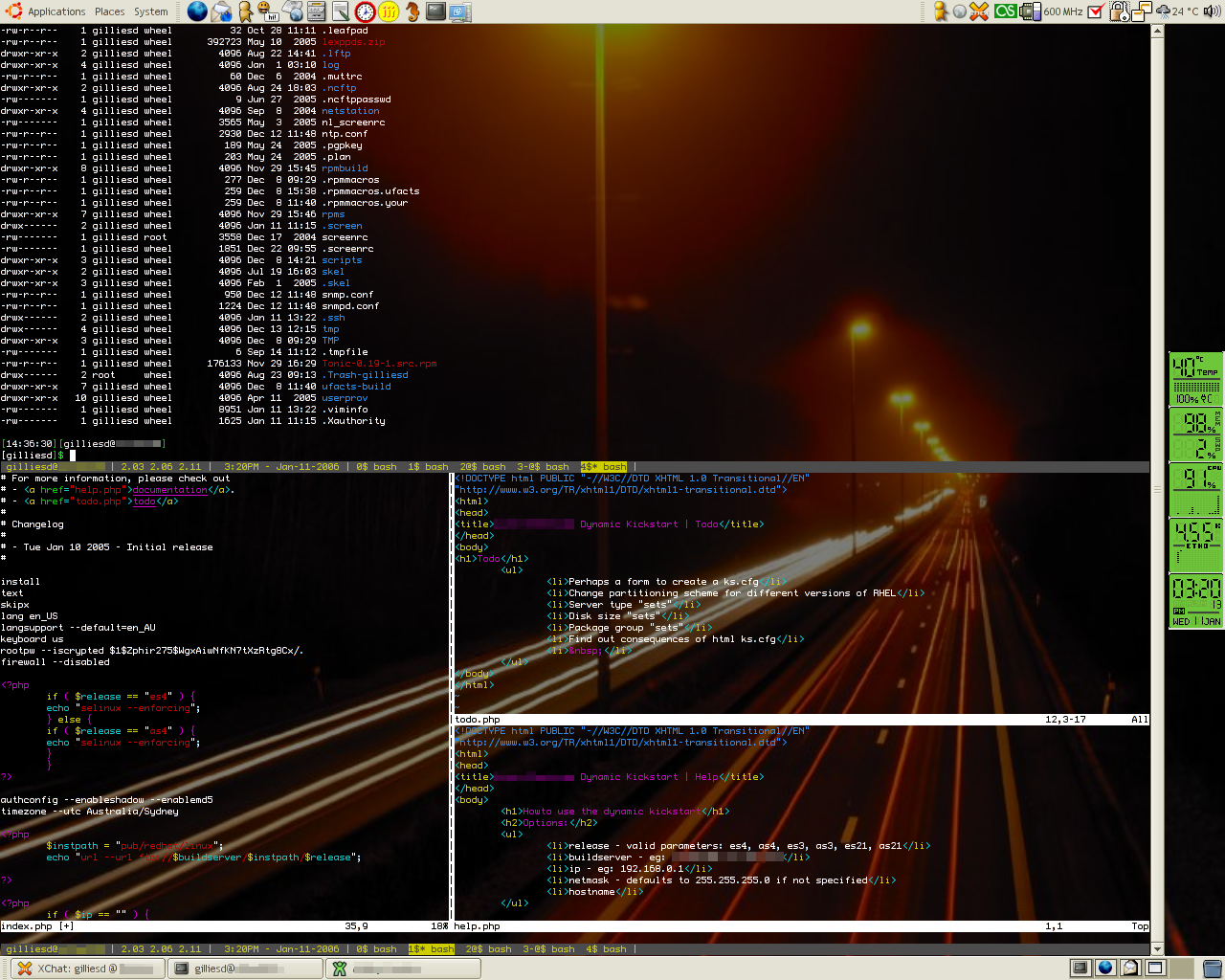
Nicholas was hassling me upload this screenshot, so here it is. On my IBM ThinkPad T41 at work, I’m running the OpenBox window manager in Ubuntu 5.10 Breezy Badger. In this session, gnome-terminal (with decorations removed) is ssh’ed into a server, with a split gnu screen session (my current .screenrc), with one of the screen sessions running vim with three split windows. I’m working on a php script which creates dynamic kickstart files for Redhat Enterprise Linux installs.
To split a screen in screen, its ctrl+a S, then ctrl+a tab to jump between the screens. In vim, its ctrl+w s to split the screen horizontally, ctrl+w v to split the screen vertically and then ctrl+w w to jump between the screens in vim.
Man, I wish I could use the OpenClient … damn dependence on SINE…
(I came across this post via Cyclic Defrost on Facebook + IBM network. I’m sure IBM will tie SL into it somehow!)
Nice!
Hi,
A suggestion: replace OpenBox by a tiling window manager (like Ion or wmii) and you touch the nirvana. 🙂
Nice shot, gnu screen is a really useful application 🙂 greetings!
Nice. But a little bit too dark for my flavour. But the screensplitting featur eis very usefull.
Very nice setup, could you tell me how did you remove the window decorations?